

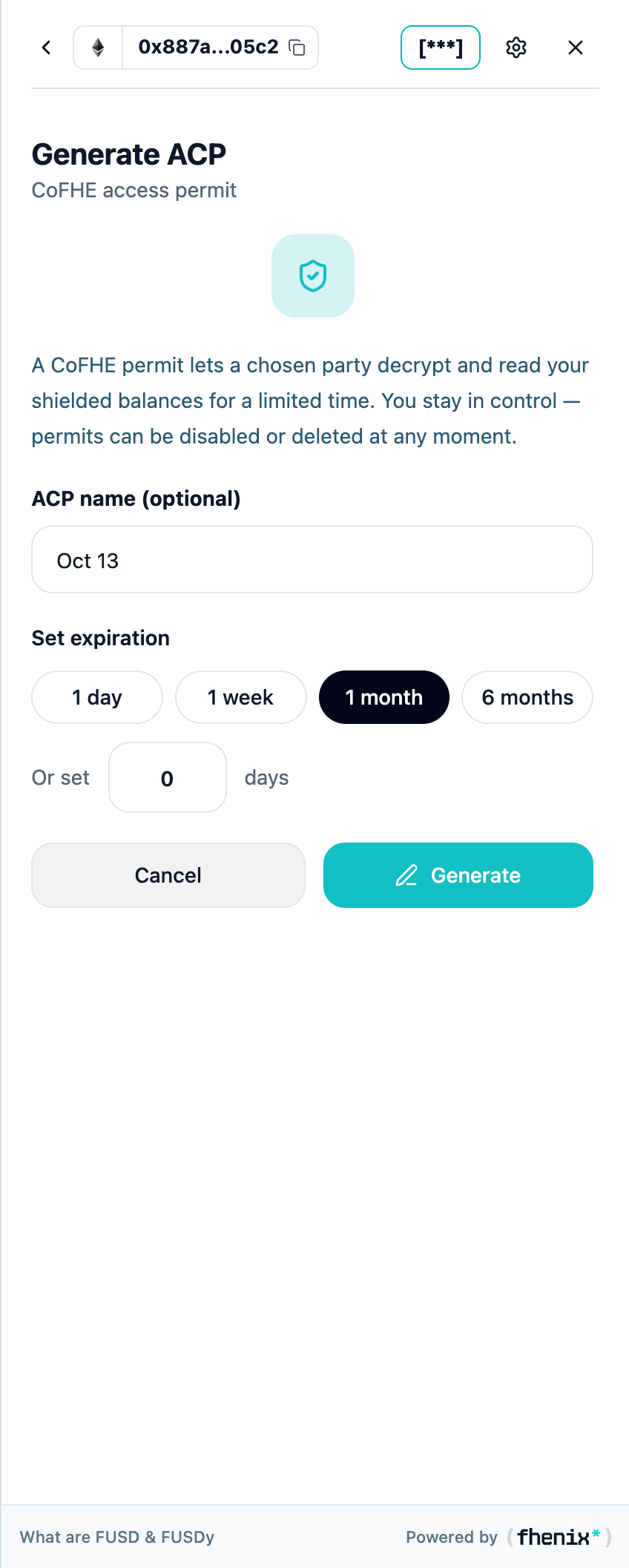
Authorize access to your encrypted data using a signed permit. To open it, select New in the Generated permits section.
Screen components
- Permit explanation. Describes the signature that proves control of the connected wallet.
- Permit Name. Add an optional name so you can recognize this permit later.
- Set Expiration. Choose a preset or enter a custom duration.
- Generate New. Open the permit-signing request in your connected wallet.
Steps
1
Check the wallet
Confirm that the correct wallet is connected.
2
Set a name and expiration
Name the permit and choose how long it lasts.
3
Generate and review
Select Generate New and review the signature request.
4
Sign
Sign to create the permit, then return to your balances.
Creating a viewing permit is a message-signing step, not a token transfer. Review the requested access and duration before you sign.