

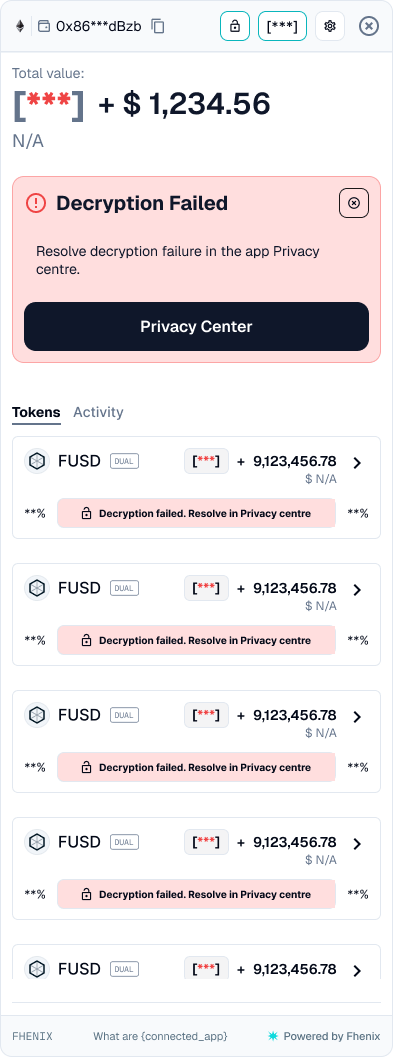
Find and address a failed private-balance read. To open it, select Privacy Center in the Decryption Failed banner.
Screen components
- Masked private value. Shows that part of the balance could not be displayed.
- Decryption Failed banner. Distinguishes a failed read from a successful balance display.
- Privacy Center action. Opens details that help identify the affected request and error.
- Inline token error. Each affected row shows a Decryption failed message in place of its balance bar, and its percentages appear as asterisks.
- Close control. Dismisses the notice without resolving the underlying failure.
Steps
1
Read the error
Open the Privacy Center and read the specific error.
2
Check the permit and account
Check the active permit and the connected account.
3
Renew or retry
Renew the permit if required, or use the retry control for a timed-out request.
4
Recheck
Recheck the balance. If the error persists, record the token, network, error, and time for support.
A failed read does not establish that funds were lost or a transfer failed. Check transaction status separately before you repeat a send.