

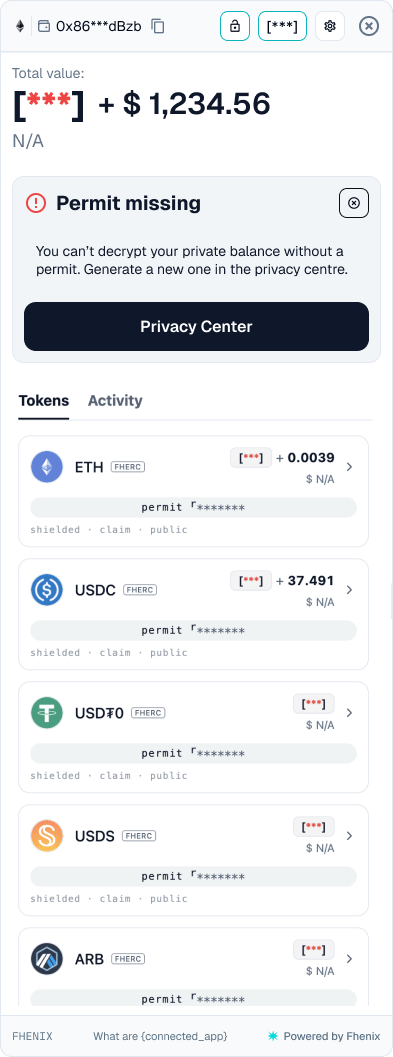
Restore your private-balance view when a permit is missing or unusable. To open it, follow the Permit missing banner or an inline Renew permit to decrypt message.
Screen components
- Masked total. The private portion appears as a placeholder while any available public value stays visible.
- Permit missing banner. Explains that a permit is needed to display private balances.
- Privacy Center button. Opens the place to create or renew the permit.
- Token rows. Masked amounts and a permit placeholder bar identify balances that cannot currently be displayed. The shielded, claim, and public labels stay in place without values.
- Dismiss control. Closes the banner. It does not create or renew a permit.
Steps
1
Check the account
Confirm your connected account and network.
2
Open the Privacy Center
Select Privacy Center.
3
Create or renew a permit
Create a permit if none is available, or renew the expired permit.
4
Sign and return
Complete the message signature and return to the portfolio.