

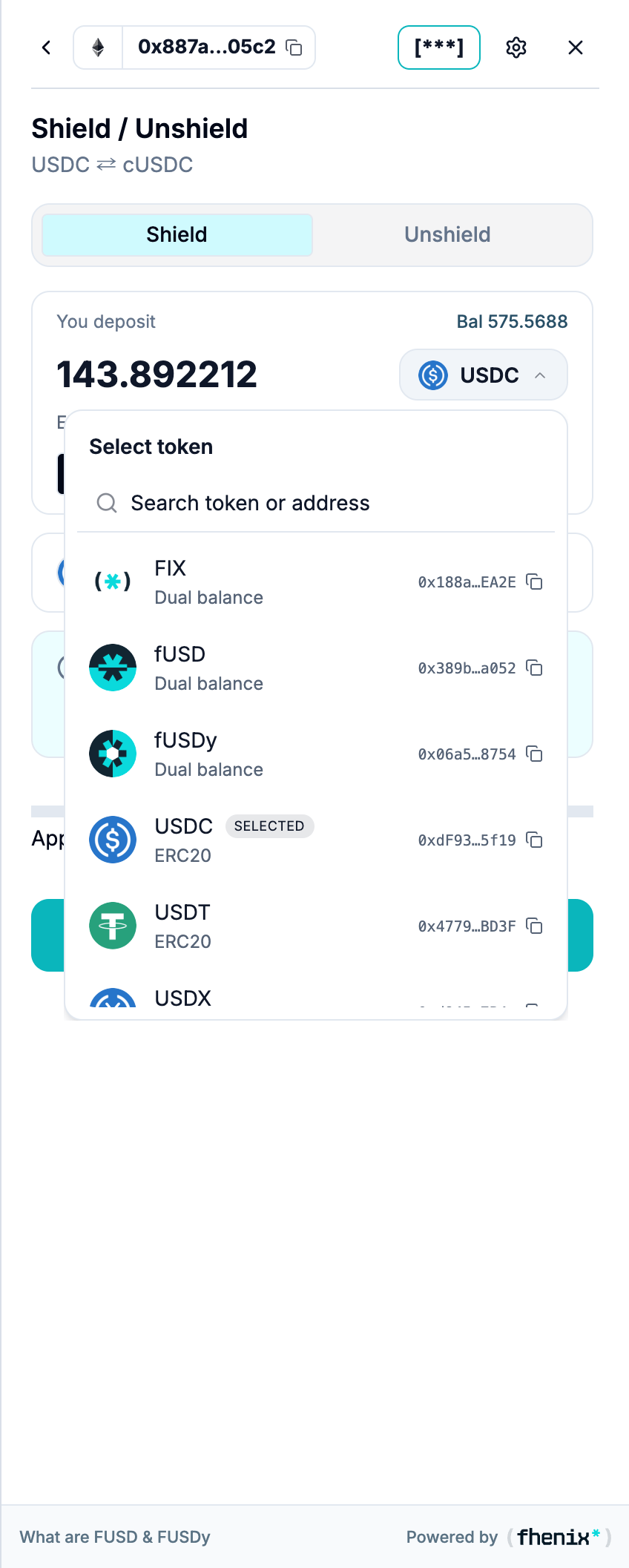
Select the asset used by the action you are performing. To open the selector, open the token dropdown in Shield, Unshield, or Send.
Screen components
- Token rows. Identify each asset by its icon and ticker.
- Type badges. DUAL marks a dual-mode token. FHERC marks a confidential token counterpart.
- Balance and value. Use the displayed balance to choose an asset. Available funds depend on whether the current action uses the public or private balance.
- Highlighted row. Marks the selected asset.
- Collapse control. Close the selector and return to the action form.
Steps
1
Open the dropdown
Open the token dropdown.
2
Select the asset
Select the asset you want to use.
3
Recheck the form
Recheck the amount, available balance, and receive summary after you change tokens.
The example list is not a supported-assets announcement. Use the assets available on the network in your current session.