

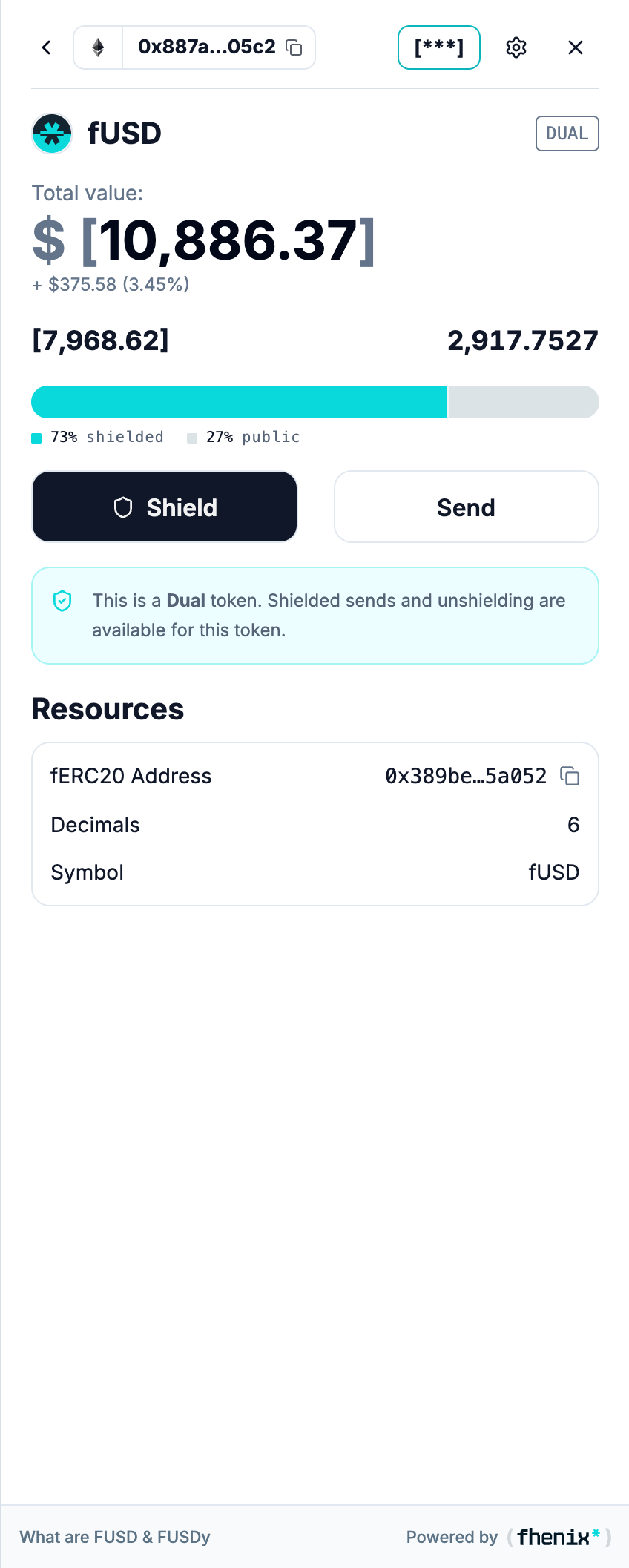
Understand the public and private portions of one dual-mode token. To open it, select a token with the DUAL badge in your portfolio.
Screen components
- Back and token heading. Return to the portfolio or identify the selected asset. The DUAL badge marks a token with public and private balances in the same token contract.
- Total value. Review the displayed value for this token. It is a valuation, not a separate spendable balance.
- Private and public amounts. Read the two amounts above the bar to see how your holdings are divided.
- Balance bar. The shielded side is private and the crossed-shield side is public.
- Shield and Send. Open the balance-mode flow or send this token.
- Information panel. Read the supported actions for this token type.
- Resources. Copy the displayed contract address or open the token website and whitepaper.
Steps
1
Check the balance split
Confirm the token name and how its balance divides between private and public.
2
Choose an action
Choose Shield to change the balance mode, or Send to transfer.
3
Review before you confirm
Check the selected mode and amount.
Moving tokens into the public balance makes that amount public. It does not make the remaining private balance public.